Build, Publish & Earn from Your Webapps
Create fully-functional web applications in minutes, publish them to your own subdomain, and earn money when others use them.
Build
Provide your project title and description, and build with AI at the provider token price plus 20%
Publish
Deploy to your custom subdomain and share in the marketplace for others to discover
Earn
Earn 80% of provider token costs when logged-in users interact with your published webapps
Powerful Development Tools
Everything you need to build, manage, and deploy your webapps efficiently.
- Requirements Gathering: Optional but recommended feature that helps clarify your project needs before building.
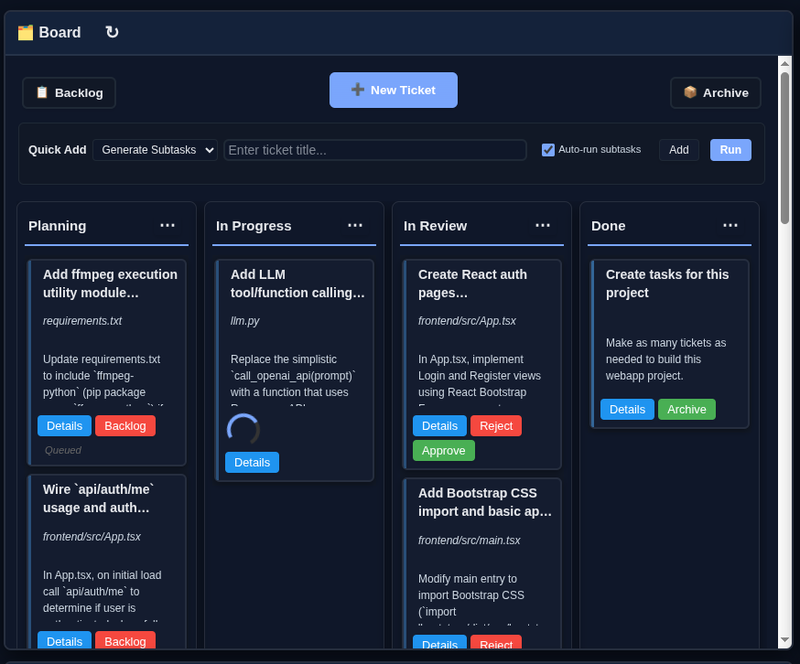
- Tickets workflow: Create tickets that move through Planning → In Progress → In Review → Done. Approve or reject changes before they're committed.
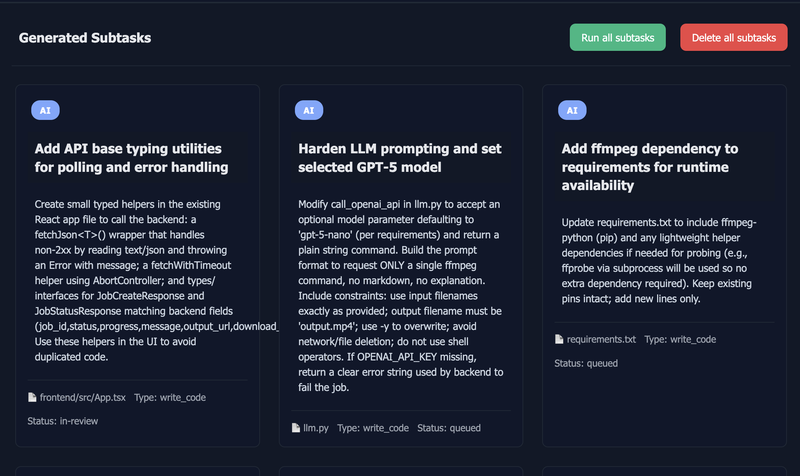
- Generate Subtasks: Break down complex tickets into detailed, actionable subtasks automatically.
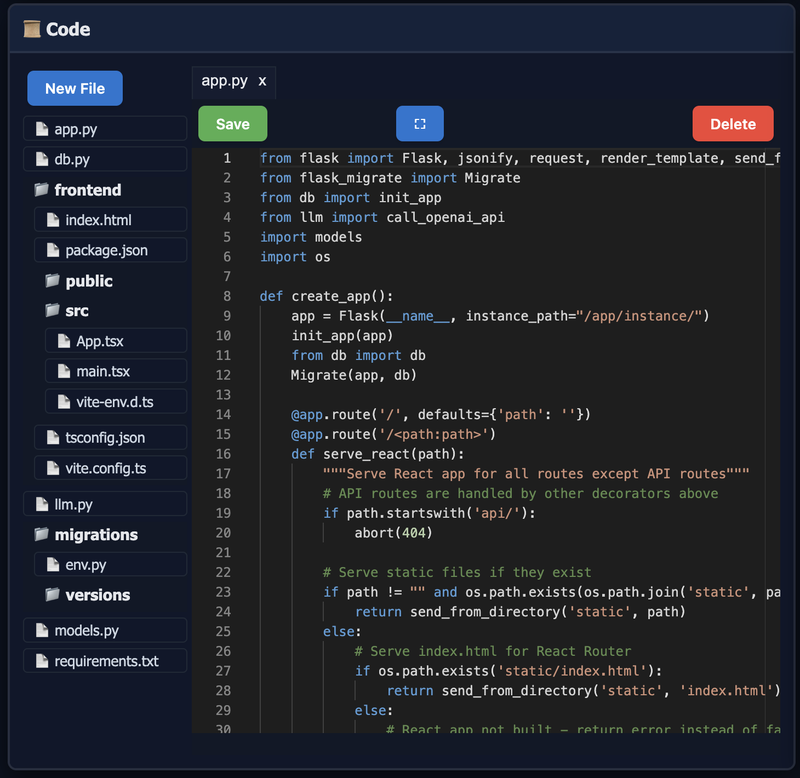
- Web-based code editor: View and edit your code files directly in the browser with syntax highlighting.
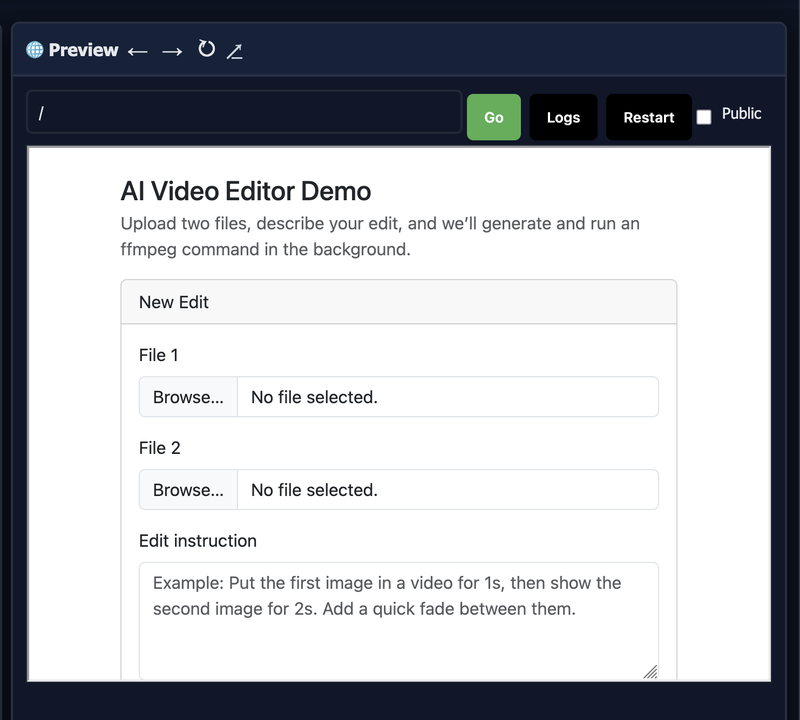
- Live preview: See your webapp update automatically after ticket completion. Runtime errors display in the preview area.
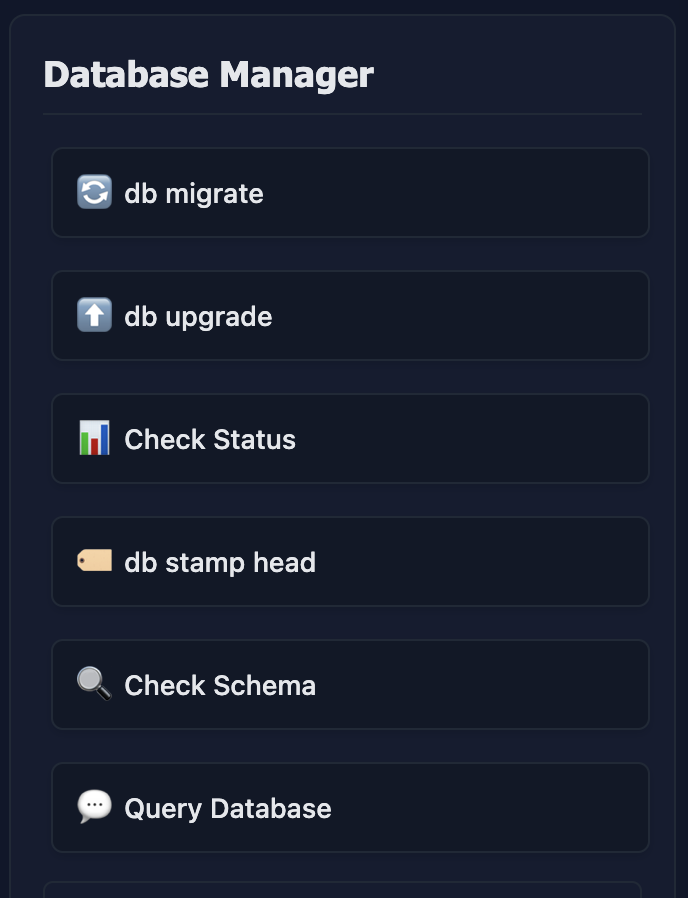
- Database Management: Create migrations, upgrade databases, check schemas, and run SQL queries (Personal/Pro plans).
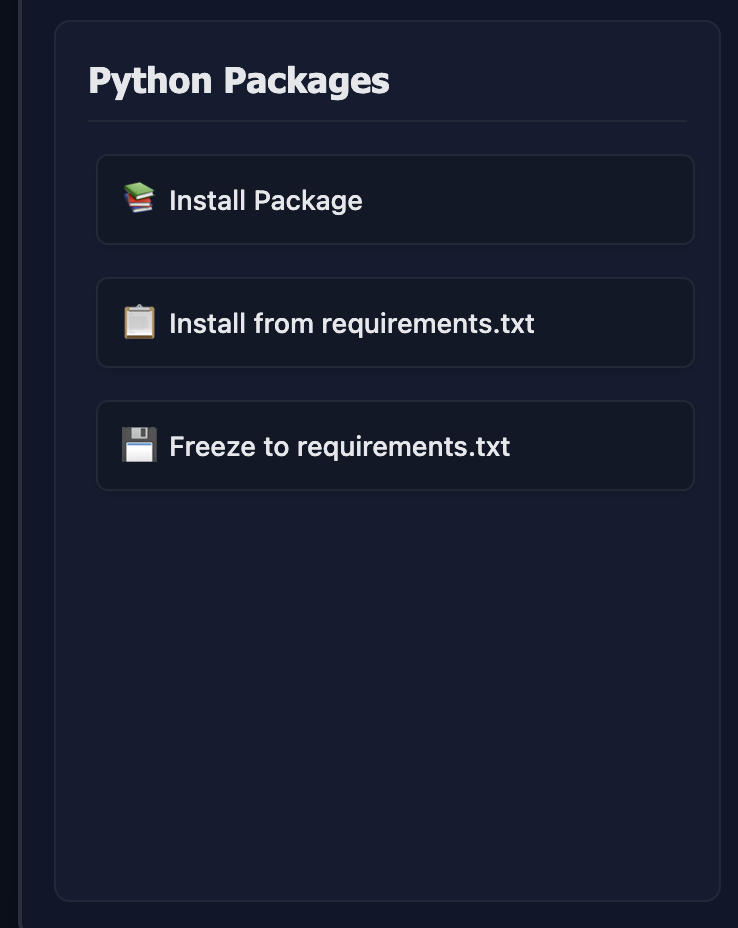
- Python Package Management: Install packages via pip, install from requirements.txt, or freeze to requirements.txt.
- Git Integration: View diffs, commit changes automatically when approving tickets, manage branches and remotes, and view commit history.
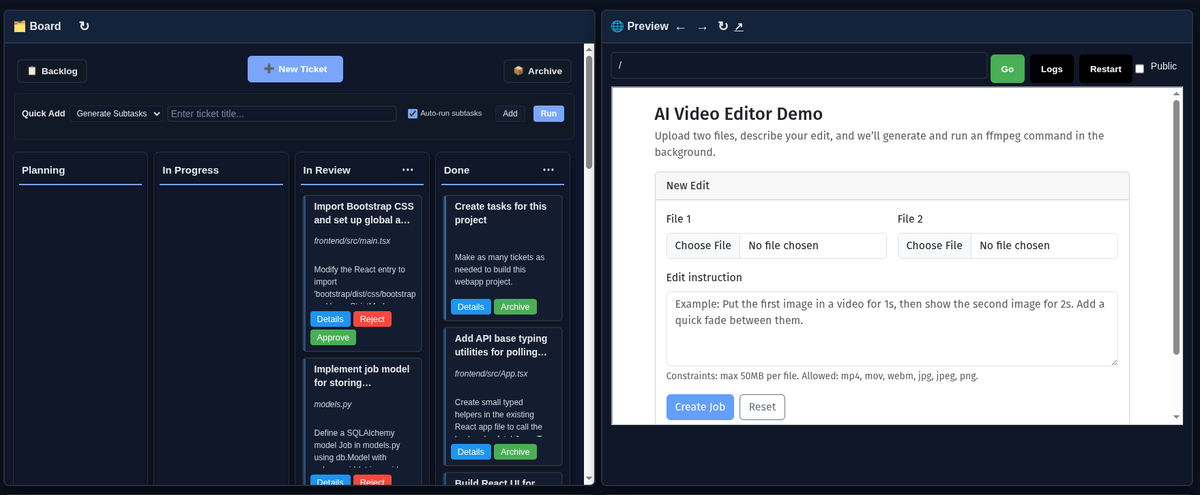
Tech Stack: Your webapp runs Python (Flask) in a Docker container. Frontend options include JavaScript/HTML/CSS or React [Beta] (Personal/Pro plans; Note: React projects aren't working very well yet. Soon!) Database support with sqlite3 is available on Personal and Pro plans. We're working on adding more tech stacks soon.
Key Features
Core Development
Requirements Gathering
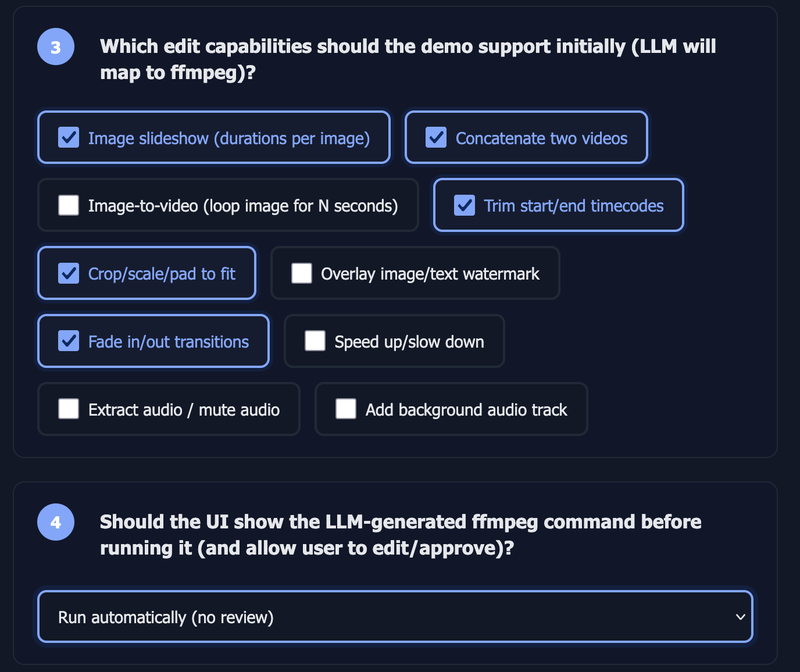
Optional but recommended feature that uses targeted questions to help clarify your project needs before building. Helps generate better initial tickets and code.
Tickets Workflow
Create tickets that move through Planning → In Progress → In Review → Done. Review changes in the preview, then approve to commit or reject to discard.
Generate Subtasks
Break down complex tickets into detailed, actionable subtasks automatically. Each subtask becomes its own ticket that can be processed individually.
Code Editor
View and edit your project's code files directly in the browser. The code editor supports syntax highlighting and allows you to make manual changes when needed.
Live Preview
Your webapp preview appears in an embedded iframe and updates automatically after ticket completion. Runtime errors display in the preview area. Optional public preview sharing available.
Project Management
Database Management
Create migrations, upgrade databases, check schemas, and run SQL queries directly. Available on Personal and Pro plans. All operations run inside your project's container.
Python Package Management
Install packages via pip, install from requirements.txt, or freeze to requirements.txt. Package operations run inside your Docker container and persist across restarts.
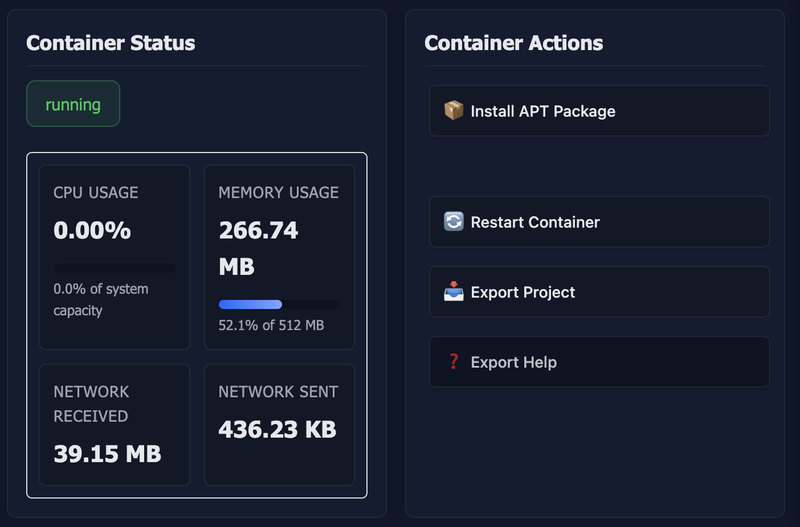
Docker Operations
Restart your webapp container, export your project files as a tar.gz archive, and view container status. Enable always-on projects on Personal and Pro plans.
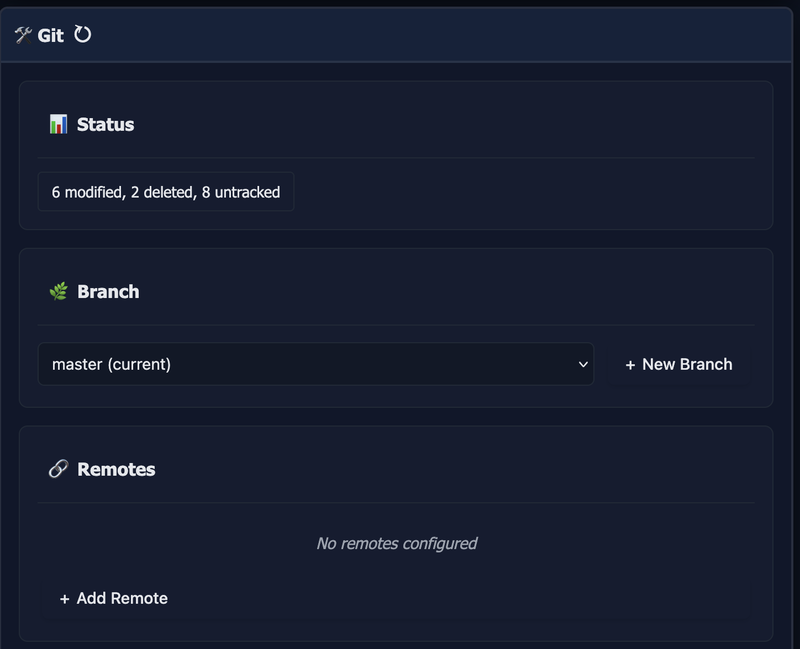
Git Integration
View diffs, commit changes automatically when approving tickets, manage branches and remotes, push/pull from remote repositories, and view commit history.
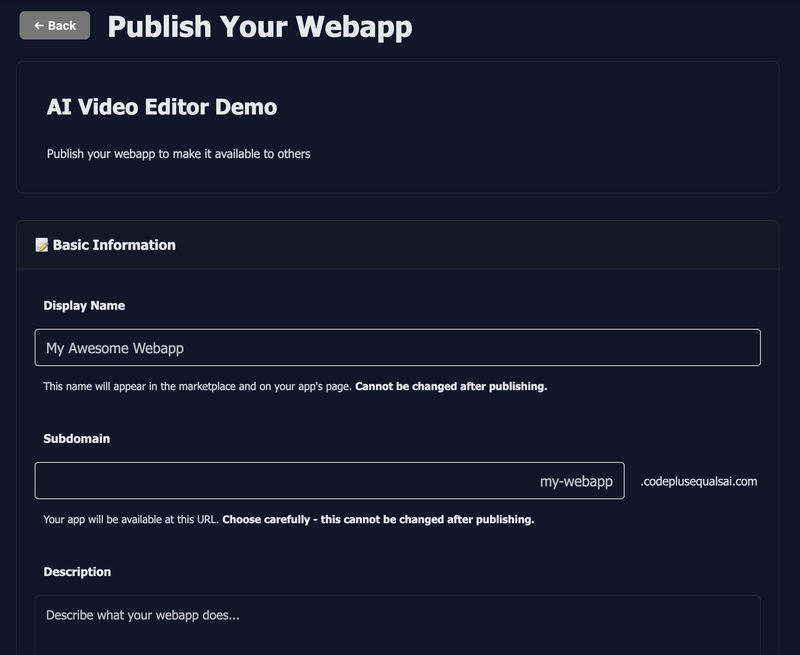
Publishing & Monetization
Publishing
Publish your webapp to a custom subdomain (e.g., your-app.codeplusequalsai.com). Provide a display name, description, and screenshot. Available on Personal and Pro plans.
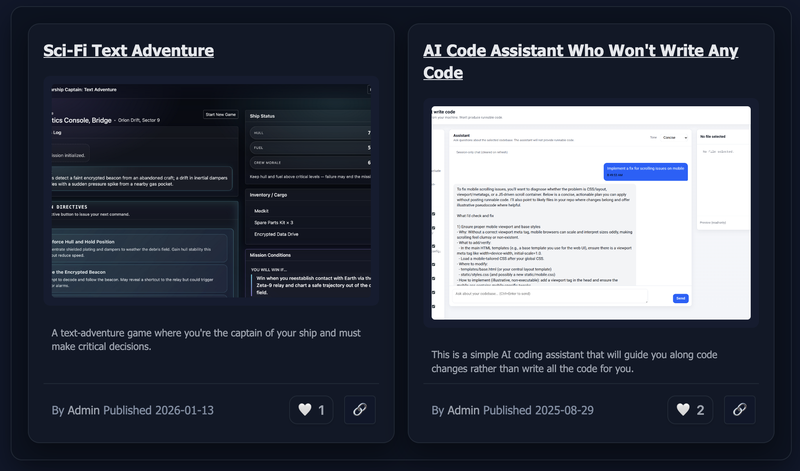
Marketplace
Browse published webapps, sort by new, popular, or trending, and favorite the ones you find useful. Discover what others have built and get inspired.
Developer Profiles
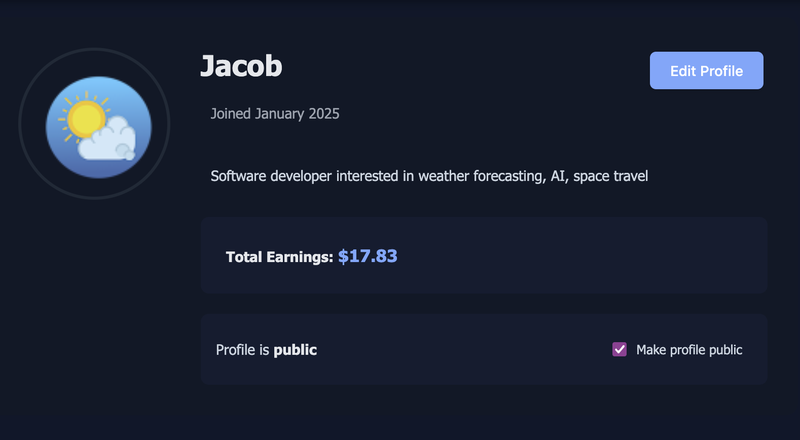
Create a public developer profile showcasing all your published webapps. Build your reputation as a developer on the platform. Profiles are optional and private by default.
Deployment Admin
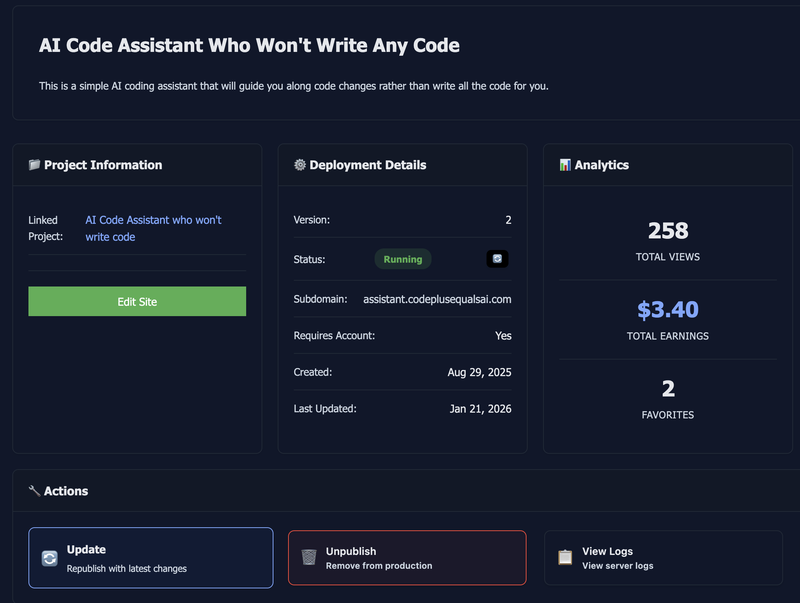
Track earnings, usage metrics, and deployment statistics for each of your published webapps. View individual deployment earnings and total account earnings.
Start Building and Publishing Today
Create a free account and get $5 credit to start building your first webapp. Publish it to the marketplace and start earning when others use it.
OR